
Use case
Coworking Booking Widget — Desks, Meeting Rooms & Memberships
Tour requests, desk bookings and member questions answered the moment they come in — 24/7, in any language, in a chat on your website that you can pick up whenever you like.
Free plan. No credit card required.
Why Answe for Coworking Spaces
Real-time availability
Show what’s free right now for meeting rooms and desks.
Member self-service
Members book in seconds — no support tickets.
Stripe-powered payments
Charge per hour, day or month.
One embed, any site
Works on your existing site — no platform lock-in.
How Sofia Helsinki uses Answe

Sofia Helsinki
Meeting rooms and event spaces in central Helsinki
- A visitor opens the price calculator, embedded across sofiahelsinki.fi with the form visible right on the page.
- They pick a date and how many people are coming — and only the rooms that fit the group are offered, each with its own capacity rule.
- They add catering from Sofia’s priced menu, and the total appears instantly in the chat.
- They place a tentative or confirmed reservation on the spot — and it syncs automatically to Sofia’s own reservation system.
- The visitor gets an email receipt of the whole chat — and the conversation stays active, so details like catering can be refined closer to the event in the same thread.
Price quotes that used to be an email thread now finish themselves in chat — and the largest halls still route to Sofia’s sales team.
Read the full story →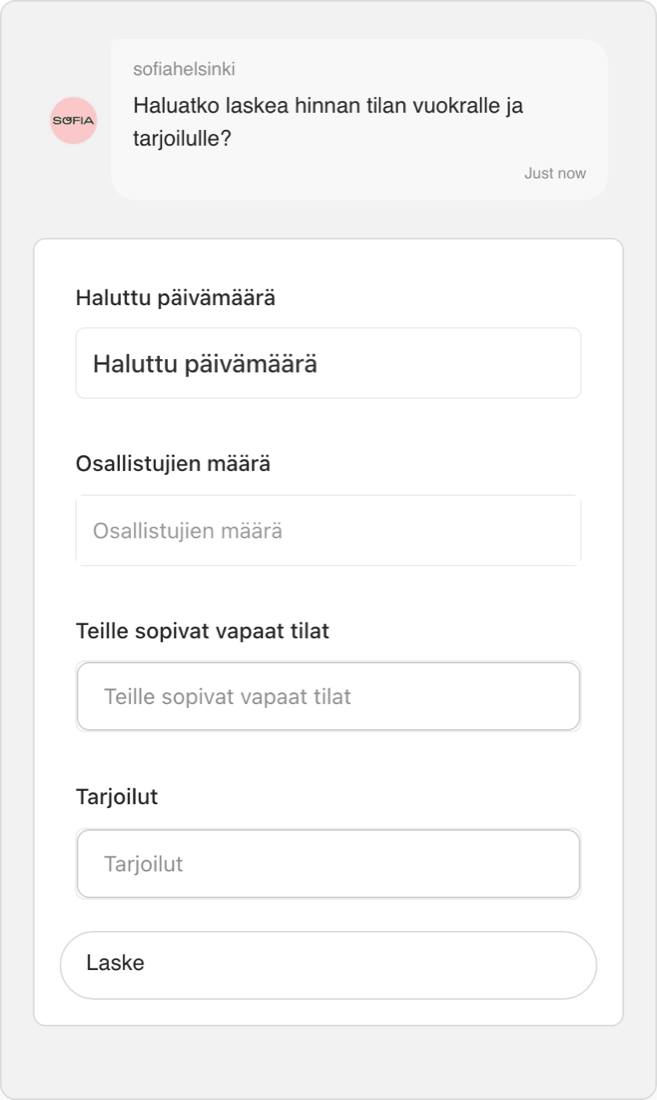
Done for you
Don't want to build it yourself?
We load your prices, build the booking or ordering flow, test it with you and deliver a link and QR ready to share within a week.
How it works
Coworking Spaces — Room and Desk Booking Made Simple
Introduction
Let members and visitors book meeting rooms, desks, and event spaces from one link — answe.com/yourname — and optionally from your website. Answe's booking system shows real-time availability, prevents double-bookings, and manages multiple rooms with different capacities and amenities.
How It Works
Room Booking
Add a Booking flow to your link that lets customers:
- See available rooms — Browse rooms with descriptions and amenities
- Pick a date — Calendar shows which dates have availability
- Choose a time slot — Only available slots are shown
- Fill in details — Name, company, purpose of booking, attendees
- Confirm — Instant booking confirmation
Multi-Room Management
Each room operates independently:
- Conference Room A (10 people, projector, whiteboard)
- Meeting Room B (4 people, video conferencing)
- Hot Desk Zone (drop-in, no reservation needed)
- Event Space (50 people, catering available)
Buffer Time
Set cleanup/setup time between bookings. A 15-minute buffer means a room booked until 2:00 PM won't be available again until 2:15 PM.
Member Services
Beyond room booking, use widgets for:
- Day pass purchases
- Membership inquiries
- Event RSVPs
- Feedback collection
Real-World Scenarios
Corporate coworking: Teams book conference rooms for the week. The system shows availability across all rooms and prevents conflicts.
Creative studio: Artists and photographers book the studio space. Each booking includes setup and teardown buffer time.
Community space: Local groups book the event room for meetings. A form collects event details and expected attendance.
Key Benefits
- Real-time availability — Members see exactly what's open
- No double-bookings — Automatic conflict prevention
- Multiple resources — Manage rooms, desks, and spaces separately
- Buffer time — Automated setup/teardown gaps
- Self-service — Members book without calling or emailing
- Calendar sync — Sync bookings with your management system
Getting Started
- Go to answe.com/start, choose Book a time and describe your space — test the flow, then claim your link (or start from the coworking template in the gallery)
- Add your rooms with descriptions
- Set business hours and time slot intervals
- Configure buffer time between bookings
- Share your link — in member emails, WhatsApp replies, your Instagram bio, or as a QR code at reception
- Optional: embed the same flow on your website or member portal
Related
- Reservations & Booking — Booking system details
- Availability Calendar — Schedule configuration
- Forms & Surveys — Collect booking details
- Integrations — Calendar sync
Manage it all on the go
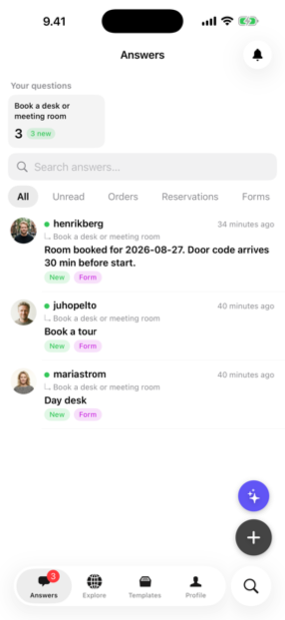
Every answer, booking and lead lands in the Answe app — reply from your phone before the competition even checks email.
Trusted by businesses in Helsinki and beyond

Every plan takes bookings. Pay for volume, not features.
Frequently asked questions
Can different room types have different prices?
Yes — set per-resource pricing and duration rules.
Do members need accounts?
Optional. You can allow guest bookings or require member sign-in.
Can I block off times for maintenance?
Yes. Availability rules let you close any resource by day, time or date range.
Try Answe for Coworking Spaces
Free plan, no credit card. Set up your first widget in minutes.
Start free